 EN
EN

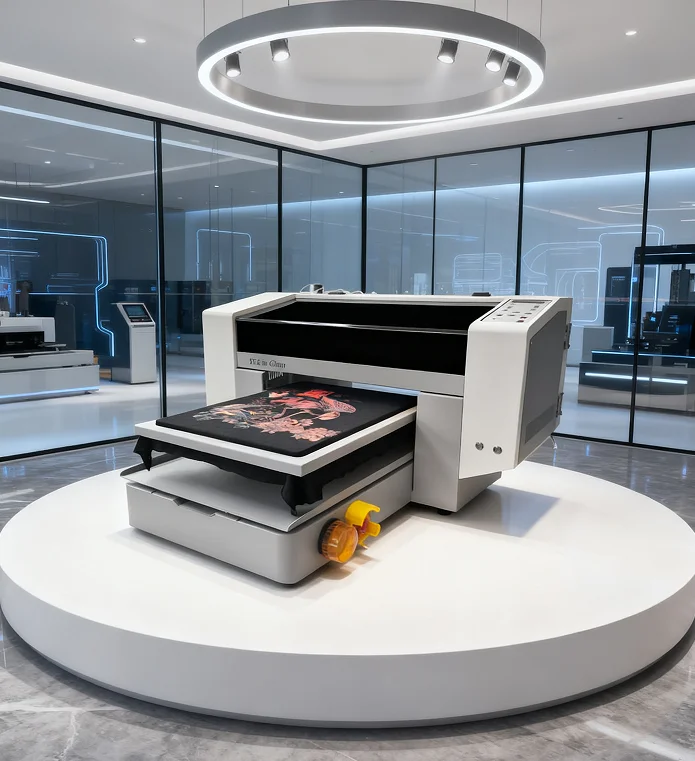
When it comes to printing designs on fabric, there is a lot of folks out that are thinking about DTF, simply standing for Direct to Film. With this technique make beautiful transfers that you can use with all kinds of materials, not just fabric. Perhaps you’re considering getting into DTF printing and thinking about which Epson printers can be converted to print on film. At ERA SUB, we specialize in guiding customers in making the right choices for their printing setups, we will go over top 5 best Epson printers to convert to DTF and how you choose which one to start with.
Which Epson Printers are Best for DTF Conversion?
Not all Epson printers are easily modifiable to DTF. However, there are some of models that are particularly well suited for 3D SLS printing. One common option is the Epson EcoTank models. These printers are characterized by large ink tanks, making them more efficient and cheaper. The EcoTank printers such as the ET-2720 or ET-4760 can hold high-quality ink that is needed for DTF printing. Or perhaps the Epson SureColor line of printers. These printers are better fitted for professional use and can print beautiful high-quality images with plenty of clarity. Models such as the SureColor P600 or P800 are great in this respect as they can handle a range of media and have wide color gamuts that will ensure your prints really pop.
Consider the print head technology when choosing a printer for DTF. An essential element of Micro Piezo technology is its ability to place ink with extreme accuracy. Furthermore, a few printers offer larger print widths that also This feature will for sure toll against the time and effort you spend. Also, Don’t forget to remind you that we design our printer is just a part of DTF Printing, also consider the ink and film. Good quality ink is important to ensure colors are obtained and durability is up to par on your prints.
What is the Best Epson Printer for DTF Printing?
Choosing the perfect Epson printer for DTF printing is hard to do. The first thing you need to consider is what you will be printing. Are you doing tiny logos or big pictures? It’s far better and easier to get the right printer that work perfectly with your designs rather than forcing your design into a crappy printer. If you like to print bigger designs, consider getting a wider print width printer. This will make drawing your design easier without cutting it into smaller sections. Type is another logical factor. Ensure the printer is able to work with high quality inks that are compatible with DTF. You want them to be colorful and pop, as well as not bleed out after a few washes.
Another sharp strategy is to look up reviews online or ask around in printing groups for advice from people who have tried out various models. This could allow you to get you a printer that’s being successfully used for DTF by others. If you are just getting started, then I would say go with a printer that has excellent support and resources. Some brands also offer volumes of tutorials and customer service, which can be helpful as you learn the ropes. It’s also a smart idea to consider your budget. The world of 3-D printing is definitely full of high-end features, but there are a surprising number of quality printers that you can get yourself at an affordable price.
Finally, make sure you know how much room the printer will take up. Other models are bigger and potentially take more space in your workspace. Be sure to measure your area first, so you know the printer will fit. You will be DTF ready to print your 1st quality prints that only ERA SUB and the right Epson printer can offer!
Where to Buy Epson Printers for DTF in Bulk
If you are looking to launch your DTF printing business, selecting the right printer is crucial. Epson printers can be had at wholesale costs in many cases. This makes it possible to purchase them in bulk or find them at a lower cost. One wonderful source is the Internet. Special deals can also be found from websites selling printers. You can search for “Epson printers wholesale” to locate stores that cater to selling multiple printers at once. Occasionally, there are even sales or discounts.
Another great option is to look in your local office supply or electronics stores. They could be running Epson printers that aren’t selling at full price. You can also tell the store manager that you would like to buy multiple printers and see if they will offer you a good deal. And don’t overlook classified ads or community bulletin boards. People occasionally sell second-hand printers at a lower cost.
At ERA SUB, we believe in moving the world for you by providing excellent service. You can also join online groups or forums where they are talking about DTF printing services. Members of these groups often exchange information on where to purchase printers and occasionally may have tips on good prices. You can learn a ton and get good deals on Epson printers by asking around.
How to Set Up Your Epson Printer for Successful DTF Printing
Now that you have it, is time to put your Epson printer ready for DTF printing. That means you have to set it up right to get the optimal performance. First of all, make sure you are using the correct ink. These special inks are able to adhere to the substrate better when printing DTF. You also need high-quality inks to ensure that your prints are vibrant and they have longevity.
Then you will have to adjust the printer settings. These settings may assist in telling your printer how to properly print the designs. You typically can locate these settings in the printer software on your computer. You are looking for options that include print quality and type of paper. Select a high quality setting so your designs will come out crisp and clean.
Another key is to clean the printer often. Caked-down dust and old ink can collect and cause issues. Be sure to wipe down your print heads and other components of the printer frequently. This will assist the printer to print better and you will get much better prints.
Last but not least, try with small designs before printing a huge bunch. This way you know if everything is working properly. If there are any problems, you can correct them before printing a large quantity. At ERA SUB, We believe there is no rush here! The better your printer’s installation, the more success you will have when printing with DTF!
What do Epson Printers Need to go DTF?
You may have to go through some upgrades in your Epson printer for it to become ideal for DTF printing. However, your first investment should be a new print head. A few Epson printers have the stock print heads, but for DTF printing it requires one that can accommodate the thicker inks. A superior print head will make your printer head to produce the clear to colorful stunning designs.
You may also consider improving the ink system. DTF printing utilizes special inks that can seamlessly interact with a range of materials. IF you upgrade to an ink system that supports these inks your results will improve. Go with printers that use easy-to-replace inks, since you don’t want to have to stop printing much.
Another upgrade to consider could be a new RIP software. This program manages the way your printer communicates. The right RIP software can improve your prints’ colors and quality. You can adjust settings even more, giving you ultimate control of your designs.
Finally, you might want to invest in a better heating element for your printer or even a curing unit. This is useful as DTF printing also involves the use of heat to ensure that ink binds properly to fabric. Having the right equipment will make your prints last longer and better. We can help you with these enhancements so all your DTF printing projects are successful, and your designs come to life!